
Software for a one-person shop: what you actually need
You don't need a dispatch board for one truck. A solo operator needs exactly four things from software — here's the short list and what to skip.
We earn a referral fee if you sign up through some of the links on this page. It never changes the price you pay or where a tool lands in our ranking. How we make money.
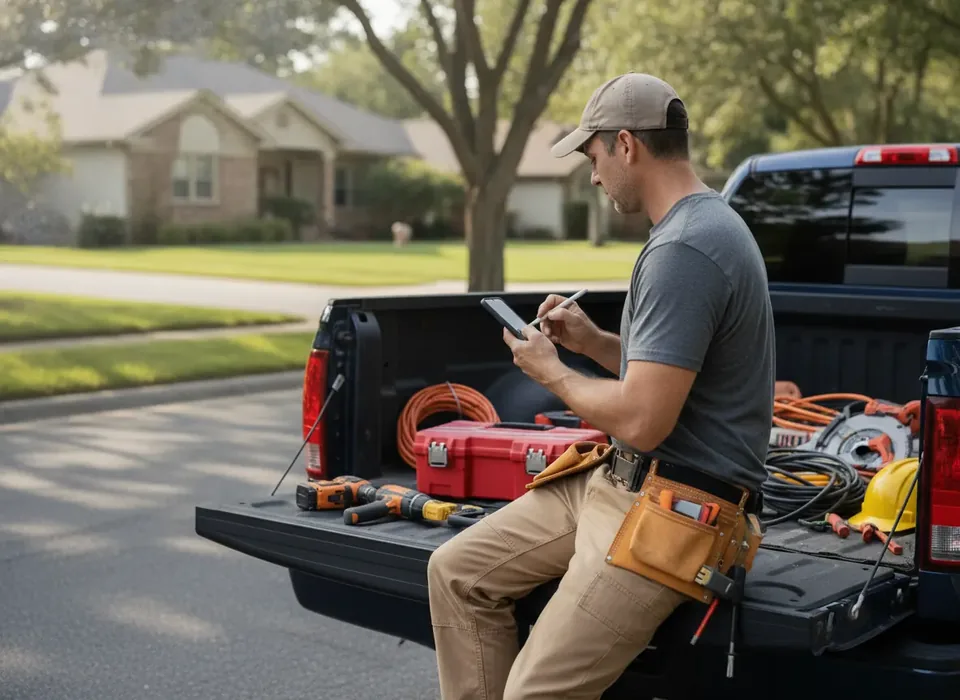
The four things a solo shop needs
- A professional quote the customer can approve on their phone. This alone wins jobs against competitors who text a number back.
- On-site payment. Get paid before you leave the driveway. Card-on-site beats chasing a check for two weeks.
- Automatic reminders and arrival texts. Fewer no-shows, fewer "where are you?" calls.
- One place for customers and job history. So the repeat call next year takes thirty seconds, not a dig through your phone.
Why those four and not more
Each one removes a specific leak that costs a solo operator real money. A quote the customer can approve on their phone closes work the same day instead of after three follow-up texts. On-site payment turns a two-week wait for a check into money in the account before the next job. Reminder and arrival texts cut the no-shows that cost a one-truck shop a whole morning, because there is no one else to send. And a single customer record means the furnace you serviced last October is one tap away when the same house calls in February.
Everything else on a field service pricing page is about coordinating people. You are one person. You do not need to coordinate yourself.
What to skip
Multi-tech dispatch boards, route optimisation across crews, call-center tools, deep job costing — all built for shops with staff. Paying for them solo is paying to be confused.
Features that look useful and aren't yet
- Call tracking and attribution. Worth it when you spend real money on ads and need to know which number the job came from. Workiz builds it in and it is the reason call-heavy shops pick it, but for one truck living on referrals it is an add-on you will not look at. See Jobber vs Workiz for when it earns its keep.
- Advanced reporting tiers. Your job profit is visible in the basic plan. Your overall profit belongs in your books, not in a software tier.
- Consumer financing. Useful for big-ticket HVAC replacements; not worth a tier jump if your average ticket is a few hundred dollars.
- Enterprise platforms. ServiceTitan and the like are built for shops with dozens of techs and weeks of guided setup. Do not take the sales call solo.
What to actually buy
For one truck, Jobber's Core plan ($49/mo) covers all four needs cleanly and is the one most solo operators are happiest on. If you're lawn or landscape and want to start free, Yardbook does the basics at no cost. If you barely invoice yet, Wave (free) plus Square for payments is a legitimate stopgap.
| Option | Monthly cost | Covers the four needs? | Best for |
|---|---|---|---|
| Jobber Core | $49 | Yes | Most solo operators in plumbing, HVAC, electrical and landscaping |
| Housecall Pro Basic | $79 | Yes, with booking, reviews and campaigns included | Solo operators who want online booking and reviews from day one |
| Yardbook (free plan) | $0 | Mostly; customer experience is thinner | Solo lawn and landscape crews starting free |
| Wave + Square | $0 plus processing | No scheduling or texts | A shop that barely invoices yet |
What it costs for a year
On monthly billing, Jobber Core is $588 a year and Housecall Pro Basic is $948. Both knock roughly 25–35% off on annual billing once you are sure you are staying. The larger cost is card processing at the usual ~2.6–3% per transaction, which on a solo shop's card revenue can easily be two or three times the subscription. Budget both lines; our cost guide works through a full year one example.
Setting it up in an afternoon
A solo shop should be live the same day. Import your customers from your phone contacts or a spreadsheet, build five or six standard quote line items for the jobs you do most, turn on reminder and arrival texts, connect card payments, and send yourself a test quote and invoice to see what the customer sees. Resist configuring anything else until a real job demands it. The whole point of the tools we rank highest is that they do not need a consultant.
Upgrade when you hire
The day you put a second person in a second truck, the dispatch and scheduling features you skipped suddenly matter — that's the moment to move up a tier, not before. Full picks are in the roundup, and the cost guide breaks down what you'll pay as you grow.
When that day comes, the sequence is: add a seat first, move up a tier only when a specific feature is blocking you, and connect QuickBooks once there is payroll or an accountant involved. Our QuickBooks guide covers that last step. Some of the links on this page pay us a referral fee; how we make money explains why that never changes the recommendation.
One-person shop software questions
What software does a one-person contractor actually need?
Four things: a quote the customer can approve on their phone, on-site card payment, automatic reminders and arrival texts, and one place for customer and job history. Anything beyond that — dispatch boards, crew routing, call-center tools — is built for shops with staff. For one truck, Jobber's Core plan at $49/mo covers all four cleanly.
Is Jobber worth it for a solo operator?
For most solo operators, yes. Core is $49/mo, covers one user and includes quoting, scheduling, invoicing and on-site payment. It is the plan we see solo owners happiest on. If you do a handful of jobs a month and barely invoice, start with Wave and Square instead and move to Jobber once the admin starts eating your evenings.
Can I run a one-truck business for free?
Yes, with trade-offs. Yardbook does scheduling, invoicing and estimates free for lawn and landscape. For other trades, Wave for invoicing plus Square for payments covers billing, with a calendar for scheduling. What you give up is the professional customer experience and automation. Our free software guide covers when that stops being worth it.
Do I need QuickBooks as well?
Not on day one. A new solo operator can run everything in a field service tool and give an accountant a payments export at tax time. Once you have steady revenue, an accountant or any payroll, add QuickBooks and let the field service tool sync into it. We explain the split in QuickBooks vs field service software.
When should a solo contractor upgrade their software?
When you hire. The day a second person is in a second truck, the dispatch and scheduling features you skipped suddenly matter, and that is the moment to move up a tier. Before then, resist upgrading for features you might use. Add seats as you add people, and revisit the plan each quarter rather than buying ahead.
Not sure which one to pick?
For most shops under 15 techs our top overall pick is Jobber — fastest to set up, cleanest customer experience, pricing you can see without a sales call.