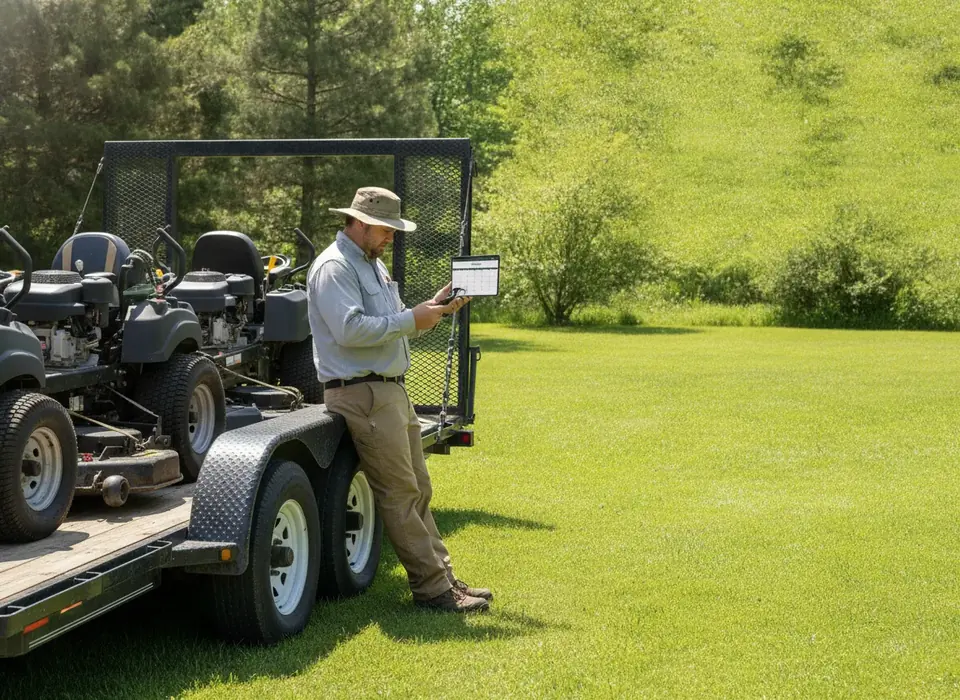
Lawn and landscape work is route-heavy and recurring, so the software math is different from one-off trades. We weighed the all-rounders against the lawn-specific tools on scheduling, estimating and price.
By the TradeStack Review editorial teamPricing checked Oct 2026
Lawn and landscape work is route-heavy and recurring, so we weight recurring scheduling and batch invoicing more than one-off dispatch.
How this page is funded: some links here are affiliate links — if you start a trial or subscribe through them, the vendor pays us a referral fee. It costs you nothing extra and does not move anyone up the list. The order comes from testing, not payouts. Full disclosure.
The verdict
For most lawn and landscape crews, Jobber is the best all-rounder — recurring visits, route-friendly scheduling, on-site payment and the cleanest client experience. If budget is the whole game, Yardbook runs a solo operation for free. If you're serious about estimating and job costing as you grow, look at LMN.
Pricing checked Oct 2026. Free-tier tools make money on paid add-ons and payment processing; read the fine print before you commit.
The picks, in order
1. JobberBest overall
Buy it if: you run recurring lawn or landscape routes and want client booking, scheduling and payment in one clean app.
Jobber handles recurring visits, batch invoicing for monthly maintenance clients, and on-site payment, and the client hub is the most polished your customers will see. For a 1–15 person crew it's the least fussy way to look professional.
It isn't landscape-specific — there's no built-in material takeoff or crew time-tracking depth that a dedicated estimating tool gives you.
What we liked
Recurring visits and batch invoicing
Route-friendly scheduling
Best client experience
What we didn't
Not landscape-specific
Estimating is basic
Call tracking is an add-on
2. YardbookBest free
Buy it if: you're solo or a small crew and want real scheduling and invoicing without a monthly bill.
Yardbook is built for lawn care and has a genuinely usable free plan — scheduling, invoicing, estimates and customer records. For a one- or two-person operation it's hard to argue with free.
You pay with ads and upsells, the interface is dated, and payment processing and premium features cost extra. But as a starting point it beats a spreadsheet.
What we liked
Genuinely free core plan
Built specifically for lawn care
Scheduling + invoicing included
What we didn't
Dated interface
Upsells and ads on the free tier
Thin customer-facing experience
3. LMNBest estimating
Buy it if: you're bidding bigger jobs and want estimating and job costing to grow into.
LMN comes out of the landscape industry and takes estimating and budgeting seriously — it's the step up when you've outgrown guessing on bids. There's a free tier to start and paid plans as you add crews and features.
It's more tool than a solo mow-and-go needs, and the learning curve is real.
What we liked
Serious estimating and job costing
Built by landscapers
Free tier to start
What we didn't
Overkill for solo crews
Steeper learning curve
Client experience is secondary
What matters for landscaping
Three things decide it for lawn and landscape crews: can it schedule recurring routes without re-entering every week, can it batch-invoice your monthly maintenance clients in one click, and can it estimate a job accurately enough that you're not losing money on bids. The all-rounders (Jobber, Housecall Pro) win on the first two and the client experience; the landscape-native tools (LMN, Aspire) win on estimating and job costing. Match the tool to whichever is bleeding you money today.
How to choose by crew size
Lawn and landscape crews scale by routes, not service calls, so the right tool depends on how many stops you run and how much of your revenue is bid work.
Solo mow-and-go
Yardbook's free core plan covers scheduling, invoicing, estimates and customer records, which is all a one-person route needs to start. Jobber Core at $49/mo buys a much better client experience and recurring visits without the ads and upsells. Our free and cheap contractor software guide covers where free stops being enough.
2–5 crew
Jobber Connect from $139/mo covers up to 15 users with batch invoicing for monthly maintenance clients. If service plans and online booking matter, Housecall Pro from $79/mo is the alternative; Jobber vs Housecall Pro compares them. If you are already losing money on bids, start LMN's free tier now rather than later.
6–15 crew
Jobber Grow from $199/mo is still a published price to 15 users. At this size estimating and job costing usually become the bleeding wound, and LMN is the step up that the all-rounders do not offer. Running Jobber for the client side and LMN for estimating is a common pairing.
15+ crew or $1M+ revenue
Aspire is built for operations at this scale, with quote-only pricing and an onboarding process rather than a signup page. Below that size it is more system than you can staff.
What it costs in year one
Published prices on this page multiplied out to twelve months. Payment processing, paid add-ons and premium features are extra on every tool, and they are the whole business model on the free ones.
A weekly mow should be scheduled once and run all season. Jobber handles recurring visits and route-friendly scheduling; Yardbook covers the basics for free. If you are re-keying the same stops every Monday, the tool has already failed.
Batch invoicing for maintenance clients
Monthly maintenance customers should be invoiced in one pass, not one at a time. Jobber's batch invoicing is the reason it leads this page for crews with a long client list.
Estimating and job costing
Installs and hardscape bids are where crews lose money. LMN and Aspire come out of the landscape industry and take estimating and budgeting seriously; Jobber's estimating is basic by comparison.
What the client sees
Jobber's client hub is the most polished your customers will see, with booking, approvals and payment in one place. Yardbook's customer-facing side is thin and LMN treats it as secondary, which is fine for commercial contracts and less fine for residential.
How we tested
Same approach as every page: a week of real work — recurring routes, batch invoices, estimates and payments — scored on setup, daily friction and what the client sees. Pricing re-checked monthly. How we make money.
Landscaping software questions
What is the best software for a small lawn care business?
For most lawn and landscape crews, Jobber: recurring visits, route-friendly scheduling, batch invoicing and the cleanest client experience, from a published $49/mo. If budget is the whole game, Yardbook runs a solo operation for free. If estimating is bleeding you money, look at LMN.
Is Yardbook really free?
The core plan is: scheduling, invoicing, estimates and customer records at no monthly cost. You pay with ads and upsells, the interface is dated, and payment processing and premium features cost extra. For a one- or two-person crew it beats a spreadsheet; past that, most crews move to Jobber.
Jobber or LMN for landscaping?
Different jobs. Jobber wins on scheduling recurring routes, batch invoicing and what the client sees. LMN wins on estimating and job costing, with a learning curve to match. Small maintenance crews start on Jobber; crews bidding bigger installs add LMN when guessing on bids starts costing real money.
How much does landscaping software cost?
Yardbook and LMN both have free tiers. Jobber publishes $49/mo for one user, from $139/mo for Connect and from $199/mo for Grow, each covering up to 15 users. Housecall Pro starts at $79/mo. Aspire is quote only and aimed at $1M+ operations. Processing fees and add-ons are extra everywhere.
Do I need landscape-specific software?
Only if estimating and job costing are your problem. For scheduling, invoicing and getting paid, the all-rounders beat the landscape-native tools on client experience. Match the tool to whichever is losing you money today: routes and invoicing point to Jobber, bids point to LMN.
Not sure which one to pick?
For most shops under 15 techs our top overall pick is Jobber — fastest to set up, cleanest customer experience, pricing you can see without a sales call.